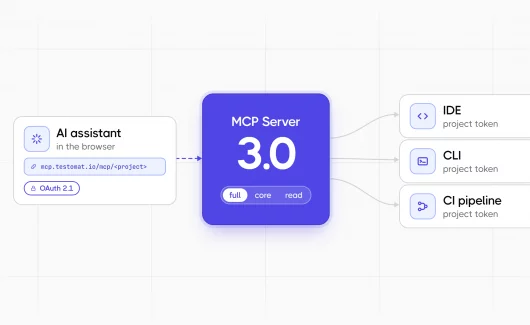
AI assistants write test cases and read failure logs in many QA teams, and the test management system stays outside the chat. A remote MCP server closes this gap: the assistant connects to the project by URL and reads or changes tests from the chat window. Gartner expects 40% of enterprise applications to include task-specific AI agents by the end of 2026, up from under 5% in 2025.
Test management joins this group with Testomat.io MCP Server, which runs as a remote MCP server at a fixed URL. This guide shows what a QA team does with the connection in daily work. You will learn about MCP use cases, what the MCP server is, and how you can connect an assistant.
What Is A Remote MCP Server?
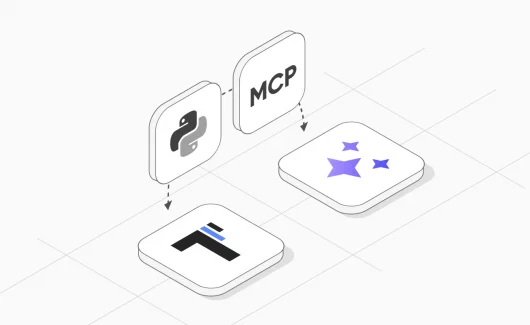
A remote MCP server runs on a host outside your computer and accepts MCP requests over HTTP. An AI assistant connects to it by URL instead of a local process. A local MCP server starts as a process on your computer. Every user installs it and keeps a token in a config file. A remote MCP server, also called a hosted MCP server, runs on the vendor side, so a browser assistant connects to it by URL and a login. The protocol basics are covered in the post on building a Python MCP server.
What Is Testomat.io MCP Server?
The Testomat.io MCP server is a hosted version of the open source MCP server. Each project has its own URL, and any assistant connects to it: a web chat with a login, an IDE with a config from the project page. The same prompt works in every client. The full capability list is on the MCP page, and the release notes are in the changelog entry.
How To Connect Your AI Assistant
The project has a page for this. You open the project and choose MCP Server under Extra in the top-right corner. The page shows the project URL and ready configs for popular clients, and you copy the entry for your assistant. The token is part of the config, so the API settings stay closed.
- claude.ai and ChatGPT: add the project URL as a custom connector in the assistant settings and approve access on the Testomat.io login page. ChatGPT needs Developer mode in the Advanced part of its Connectors settings, and custom connectors are available on paid plans.
- Cursor, Claude Code, VS Code and other IDE clients: paste the config from the MCP page into the client.
- Self-hosted Testomat.io: use the local config from the same page. The docs tutorial covers the details.
The connection uses the permissions of the person who connected it, and the project history records every change from the assistant. The quickest check is a question: you can ask the assistant to list your test suites, and real suite names confirm the link.
Testomat.io MCP Server Use Cases For QA Teams (With ChatGPT And Claude Examples)
Each case starts with the situation and the prompt. The steps of the assistant follow. The result and the access level close the case. Names and numbers are examples.
A QA Lead Sorts A Night Run By Assignee
Situation: the night run shows 60 failures, and the QA lead needs to hand them out before the standup. The old way was a manual review of each result with a list on the side.
Prompt in claude.ai: “Break down run 889 by assignee with failures first. Then list the error messages of the critical failures.”
What the assistant does:
- Calls the runs tool with the stats command by assignee, sorted by failures.
- Calls the testruns tool for the failed results with critical priority.
Result: a table with a name and a count per row, with the critical errors under it. Work distribution takes a minute, and the lead links the defects from the same chat. The single tool per entity in 3.0 helps here: Anthropic’s post on a multi-agent research system found that bad tool descriptions send agents down wrong paths, and a shorter tool list leaves fewer wrong paths.
Access: a viewer role is enough, and the data stays unchanged.
A Product Manager Checks Release Status From A Phone
Situation: a product manager has a customer call in an hour and needs the state of the release. The old way was a message to the QA lead and a wait for the answer.
Prompt in claude.ai on a phone: “How is the Release 4.2 milestone doing, and who is assigned to the open tests?”
What the assistant does:
- Calls the milestones tool for the milestone and its status.
- Calls the runs tool with the stats command for the active run, grouped by assignee.
Result: the open tests with the names next to them, in a browser tab on the phone.
Access: the manager connects through OAuth with a viewer account, and the backend checks the role on every call, so the answer is read-only by design.
A QA Engineer Creates Tests From The Project Context
Situation: a QA engineer drafted 30 login cases in ChatGPT from a user story and wants them in the project. The old way was a copy of every title and every step by hand.
Prompt in Claude Code with the markdown pasted in: “Run a dry run of this markdown first. If the plan looks right, create the tests in the Authentication suite.”
What the assistant does:
- Reads the existing suites, so the cases land in the right place.
- Calls the tests tool with the bulk_upsert command and dry_run set to true, and shows the plan.
- Repeats the call with dry_run set to false after a confirmation.
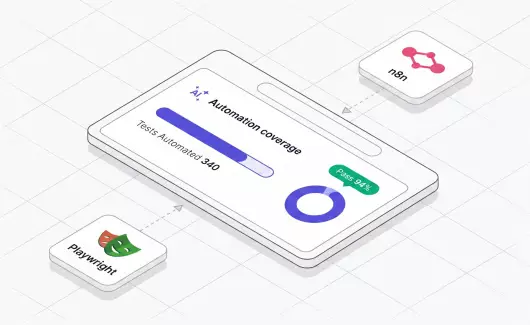
Result: the tests appear in the Authentication suite from a single call, with a record in the project history. The browser side of automated tests comes from Microsoft’s Playwright MCP server, and the post on Playwright MCP shows that setup.
Access: the dry run shows the plan before a write, and every write lands in the project history as an API session.
A Manual Tester Records Results From The Chat
Situation: a manual tester works through the current run and keeps ChatGPT open in the browser. The old way was a switch to the run page after every test.
Prompt in ChatGPT: “Show the tests in the current run that are assigned to me and are pending.” After the check: “Record the login test in run 889 as a success and add the note: checked on Safari 19.”
What the assistant does:
- Calls the testruns tool for the pending results assigned to the tester.
- Records the status and the note through the testruns tool with the update command.
Result: the run report updates while the tester stays in the chat, and the note sits next to the result.
Access: the tester’s account, and the API session records the update in the project history.
An External Consultant Reviews Failures With Read Access Only
Situation: a company hires an external consultant for a two-week audit of the regression suite. The team wants the consultant to see results and keep the test tree unchanged.
Prompt in Cursor, with the local config started on the read profile: “List the failed tests in the last three runs with their error messages, grouped by suite.”
What the assistant does:
- Calls the runs tool for the last runs.
- Calls the testruns tool for the failed results of each run.
Result: the consultant gets the failures by suite. Update and delete commands are absent from the tool list, and the token is revoked after the audit. The OWASP MCP Top 10 lists Lack of Audit and Telemetry as item MCP08, and the API sessions in the project history answer it on the Testomat.io side.
Access: read profile on the local config, or a viewer role on the remote server for the same effect through OAuth.
Benefits Of The Testomat.io MCP Server For QA Teams
The MCP server brings your test project into the chat where the team already works. Here is what that changes:
- Less switching between tools. The assistant answers questions about tests and runs inside the chat, so the team stays in a single window.
- Faster answers about a run. A QA lead asks which tests failed and who owns them, and gets a table in seconds instead of a manual review.
- Release status for everyone. A product manager checks a milestone from a phone browser and skips the message to the QA lead.
- Less manual copying. Test cases drafted in a chat go into the project in a single request, with a preview before anything changes.
- Fewer duplicate suites. A shared suite stays the same across several projects, so teams stop editing separate copies.
- Safe access for every role. The assistant works with the permissions of the person who connected it, and a viewer role keeps the data unchanged.
- A clear record of changes. The project history shows every change the assistant made, so the team can review it later.
- Quick start. Each project has a page with ready instructions for popular assistants, and a web chat connects without any installation.
MCP Server: Challenges And Solutions
Most problems appear as a message from the assistant, and each has a short fix:
- The assistant asks for a login inside an IDE client. The config was typed by hand, so copy the config from the MCP Server page of the project instead.
- The assistant says it lacks permission for a task. The connected account has a limited project role, and the project admin can extend it or the task stays read-only.
- Analytics questions return empty results. Analytics needs the enterprise package and the matching subscription, and the project admin can check this on the plan page.
- The assistant uses tool names from a 2.x prompt. It receives the valid commands in the error and continues, and you can update the prompt at a convenient time.
- A file upload fails in a web assistant. Uploads work from the local config only, so the person uploads from Claude Desktop or Cursor.
- A corporate network blocks the local config. Your IT team adds the company certificate for Node.js, and the docs tutorial names the exact setting.
Bottom Line
A remote MCP server puts test management inside the chat your team uses already. The assistant reads runs and writes tests with the permissions of the person who connected it, and the project history records every change. Sign up for Testomat.io and connect your first project to the assistant. Then ask any question about your tests. The answer uses your real project data, and the use cases above show what to ask next.